Blood Donor

American Red Cross

Improving the experience of blood donors booking their appointment
3 Case studies
3 Case studies
3 Case studies
Introduction

What is the Blood Donor App?

Introduction

What is the Blood Donor App?

Introduction

What is the Blood Donor App?

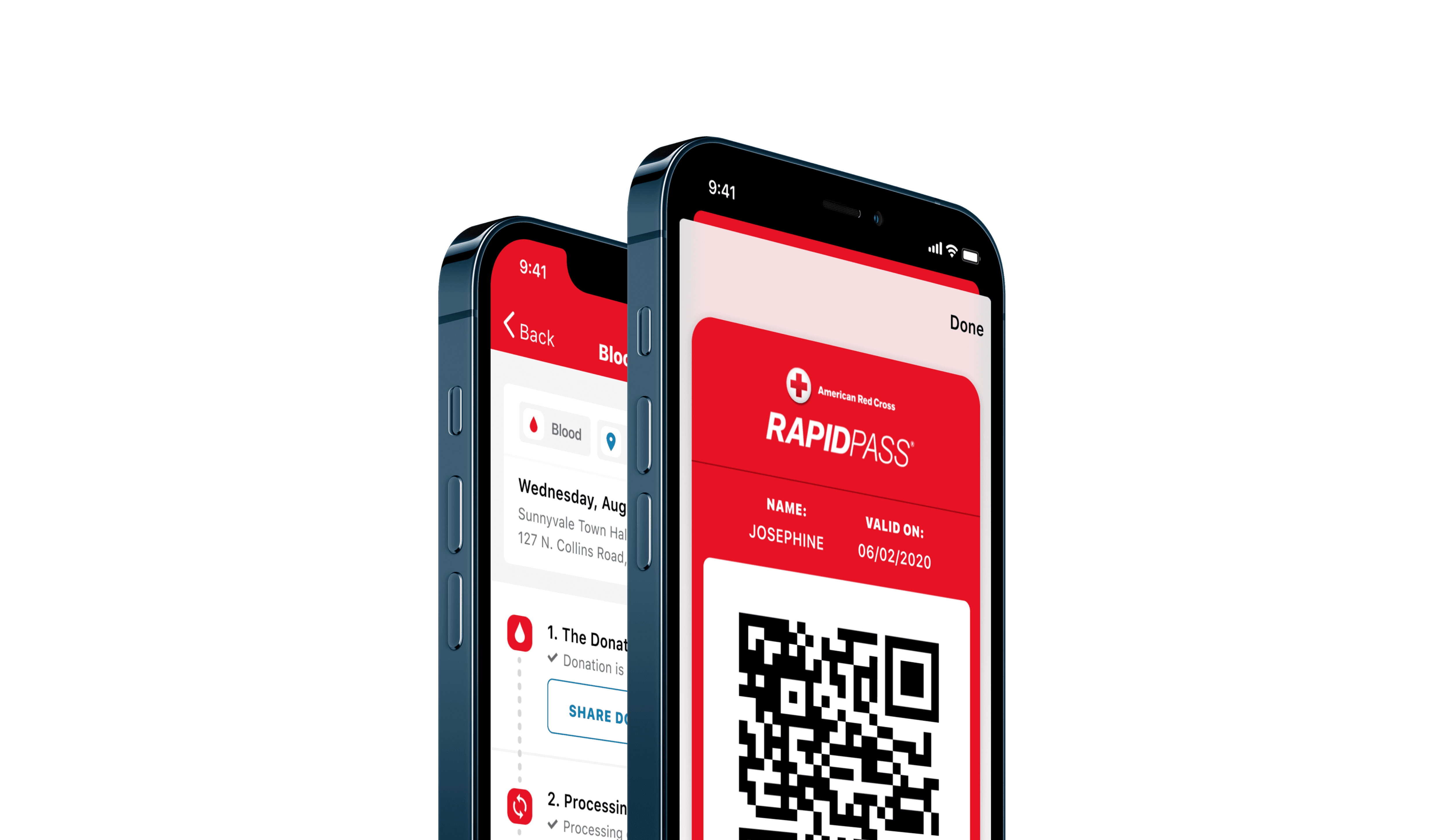
Blood Donor is mobile and web app that allows people to find and book blood donation appointments, track where their blood ends up and earn rewards.

Impact

Stats from my time on the project

Impact

Stats from my time on the project

Impact

Stats from my time on the project

65k

Increase in bookings

(2024 vs 2023)

4.8/5

App store rating

(Based on 56k reviews)

65k

Increase in bookings

(2024 vs 2023)

4.8/5

App store rating

(Based on 56k reviews)

My Involvement

15 updates in over 3 years

My Involvement

15 updates in over 3 years

My Involvement

15 updates in over 3 years

Over the past 3 and a half years, I have been the lead designer on the American Red Cross Blood Donor app.
Client

American Red Cross

Client

American Red Cross

Client

American Red Cross

My Role

Product Designer

UX, Visual Design, Prototyping, Design Systems, Interaction Design

My Role

Product Designer

UX, Visual Design, Prototyping, Design Systems, Interaction Design

My Role

Product Designer

UX, Visual Design, Prototyping, Design Systems, Interaction Design

Platforms

iOS, Android

Platforms

iOS, Android

Platforms

iOS, Android

Team

3 Sided Cube

Joel Dolling - PM, Louise Bell - PM, Greg Gomez - PO, Eunice Biyere - PO

Team

3 Sided Cube

Joel Dolling - PM, Louise Bell - PM, Greg Gomez - PO, Eunice Biyere - PO

Team

3 Sided Cube

Joel Dolling - PM, Louise Bell - PM, Greg Gomez - PO, Eunice Biyere - PO

Challenges

What couldn’t we change?

Dealing with many stakeholders

Decisions often had to be weighed up against business goals and the wants and needs of senior stakeholders.

Budget constraints

Budgets and time were very tight for each piece of CI work we undertook, which meant the scope was often small.

Process limitations

Budget limitations also meant that often there wasnt interval validating concepts with our users.

Challenges

What couldn’t we change?

Dealing with many stakeholders

Decisions often had to be weighed up against business goals and the wants and needs of senior stakeholders.

Budget constraints

Budgets and time were very tight for each piece of CI work we undertook, which meant the scope was often small.

Process limitations

Budget limitations also meant that often there wasnt interval validating concepts with our users.

Challenges

What couldn’t we change?

Dealing with many stakeholders

Decisions often had to be weighed up against business goals and the wants and needs of senior stakeholders.

Budget constraints

Budgets and time were very tight for each piece of CI work we undertook, which meant the scope was often small.

Process limitations

Budget limitations also meant that often there wasnt interval validating concepts with our users.

Case Study 1

Making appointment booking feel quicker

Case Study 1

Making appointment booking feel quicker

Update Released

December 2022

Timescale

4 weeks

Context

Users highlighted that choosing an appointment time felt cumbersome.

Context

Users highlighted that choosing an appointment time felt cumbersome.

Context

Users highlighted that choosing an appointment time felt cumbersome.

We conducted a research exercise to see how we could improve the experience of users choosing and booking a blood donation appointment. 

Existing Flow

Taps before seeing appointment time

Existing Flow

Taps before seeing appointment time

Existing Flow

Taps before seeing appointment time

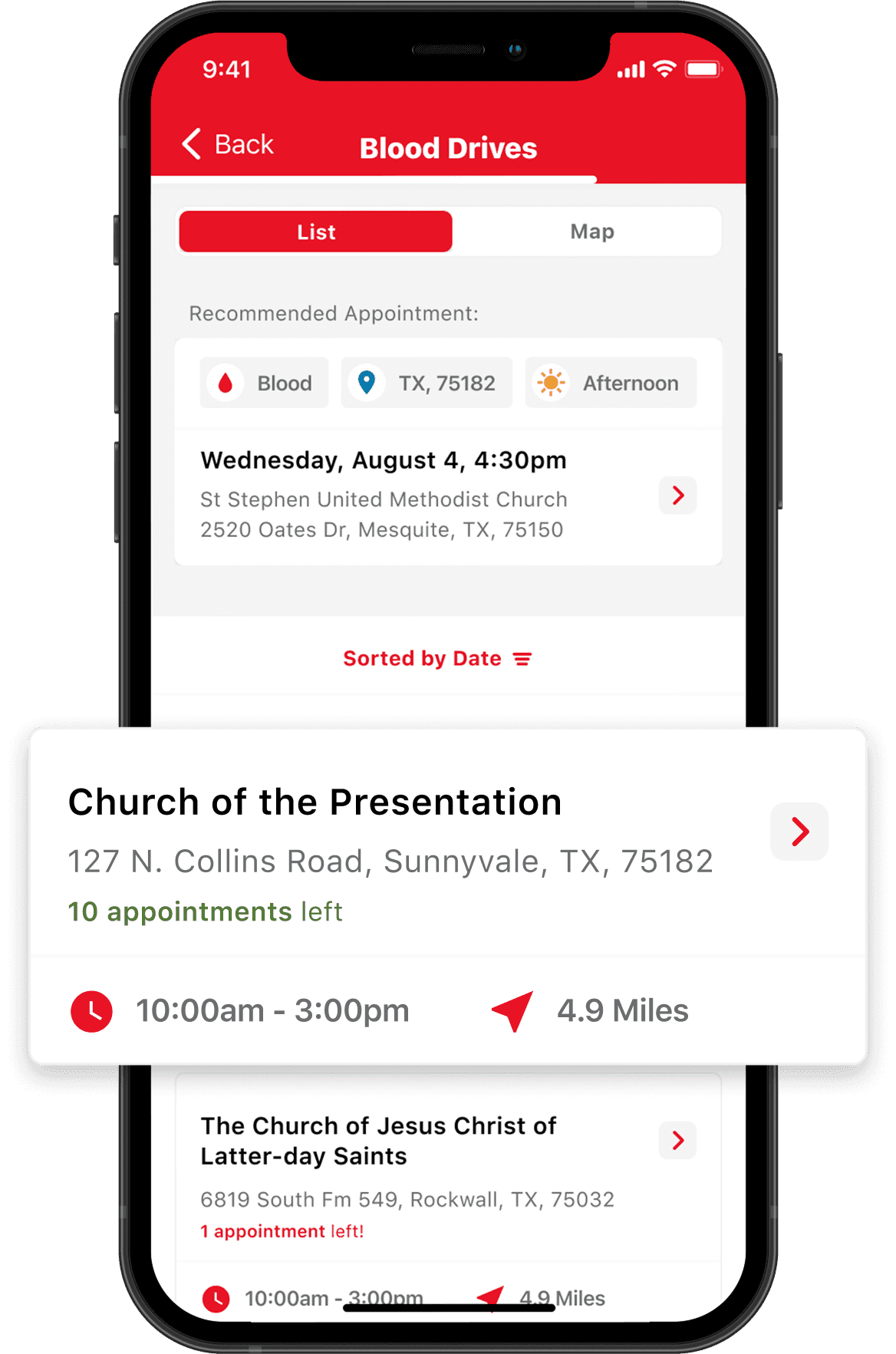
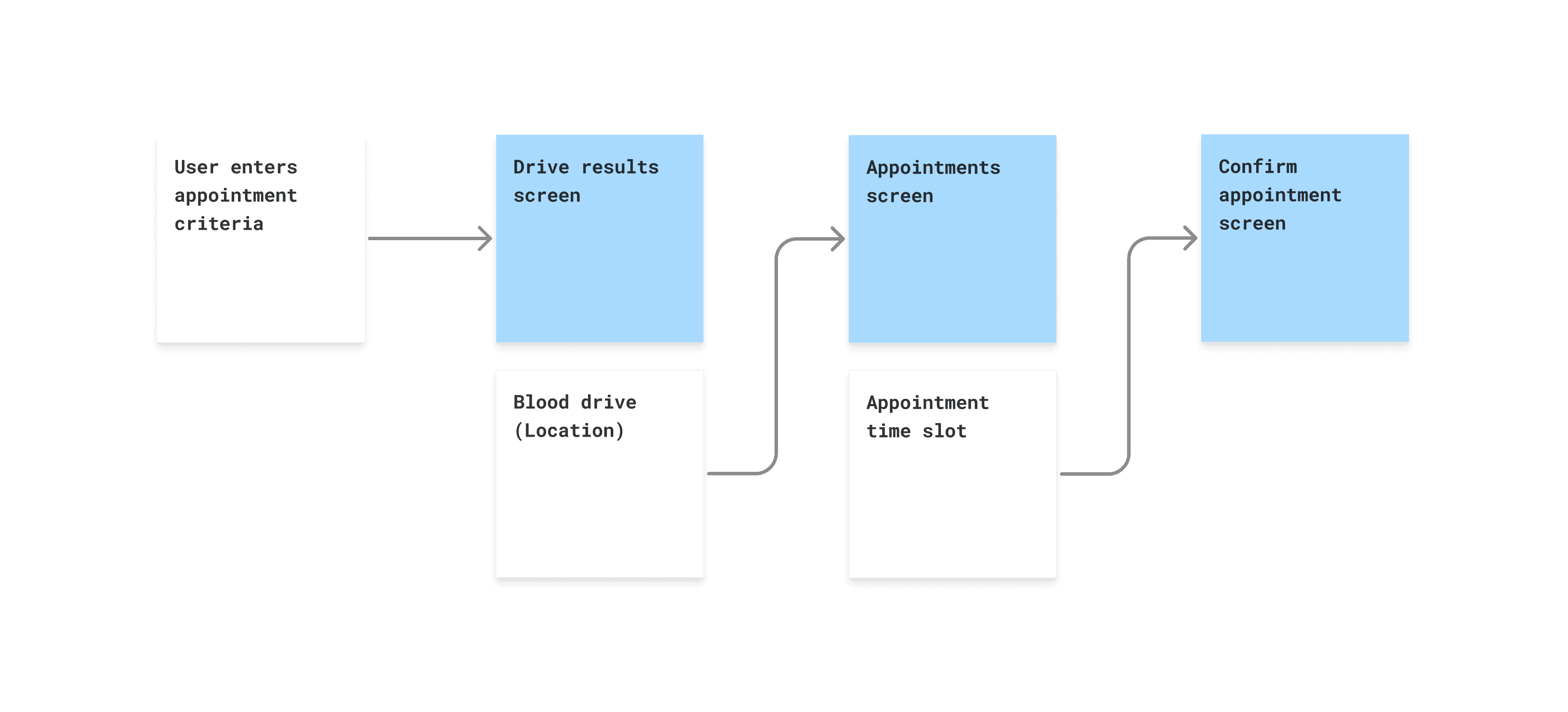
The existing flow consisted of users seeing a search results screen, followed by a detail screen with the appointment times available for that location, followed by another confirmation screen.
Prototypes

User testing

Prototypes

User testing

Prototypes

User testing

In this project, we were able to show some prototype concepts to users. We found that most users preferred being able to open a drop-down on the search results screen. Even though the amount of clicks were the same, users said this felt quicker.

Current Flow

Separate appointment times screen

Concept 1

See times on drive results screen

Concept 2

Show appointment times on confirm screen

UI Iteration

Digestible, concise, informative

UI Iteration

Digestible, concise, informative

UI Iteration

Digestible, concise, informative

I worked on the design treatment for this new component, with the goal of maximising clarity and legibility of appointment times. The client also made a request to reinforce the donation type that was being made at this point in the flow.
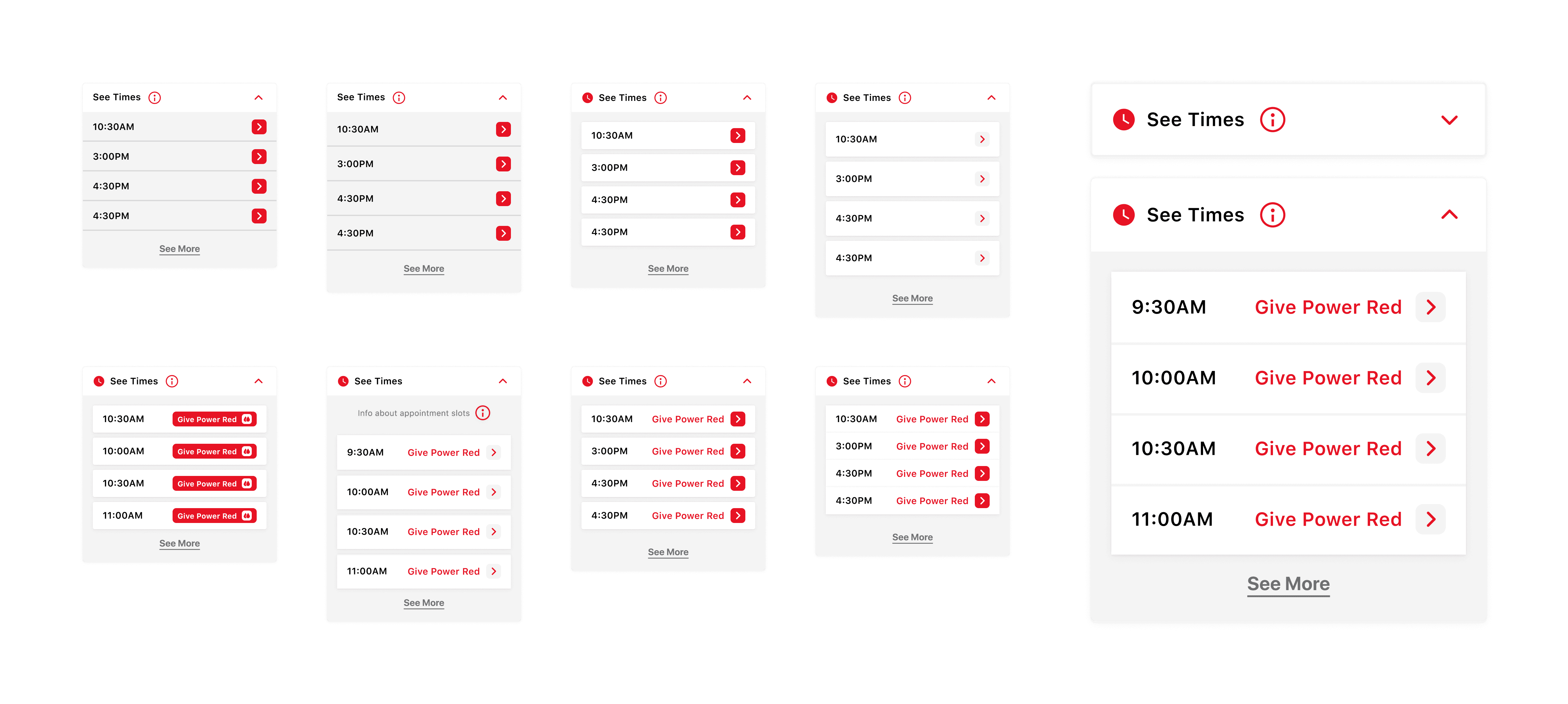
Iterations of drop-down UI

Interaction

Drop-downs and skeleton state

Interaction

Drop-downs and skeleton state

Interaction

Drop-downs and skeleton state

Due to a technical constraint, appointment times could be not loaded instantly, which required a state to re-assure the user that the information was being loaded.
The solution

Seeing appointment times from the results screen

The solution

Over the course of a week, I took the wireframes and created a set of key screens and templates that would be used to build the new Migrant Leaders app.
Feedback

App store reviews

Feedback

App store reviews

Feedback

App store reviews

Since the release of the change, we noticed more mentions about speed and ease of use of booking an appointment in app store reviews.

26 January 2023

Makes donating blood simple and convenient. Gives you updates when you are allowed to give again, and it allows you to find drives and make appointments in no time.

2 March 2023

I have been donating blood for over 20 years and I feel that the Red Cross is making the app and donating easier all the time. Thank you.

8 March 2023

Easy to use. Intuitive menus make it simple to schedule donations and complete rapid passes.

Case Study 2

Creating feedback loops

Case Study 2

Creating feedback loops

Case Study 2

Creating feedback loops

Update Released

June 2024

Timescale

12 weeks
Context

Create another way to capture user feedback

Context

Create another way to capture user feedback

Context

Create another way to capture user feedback

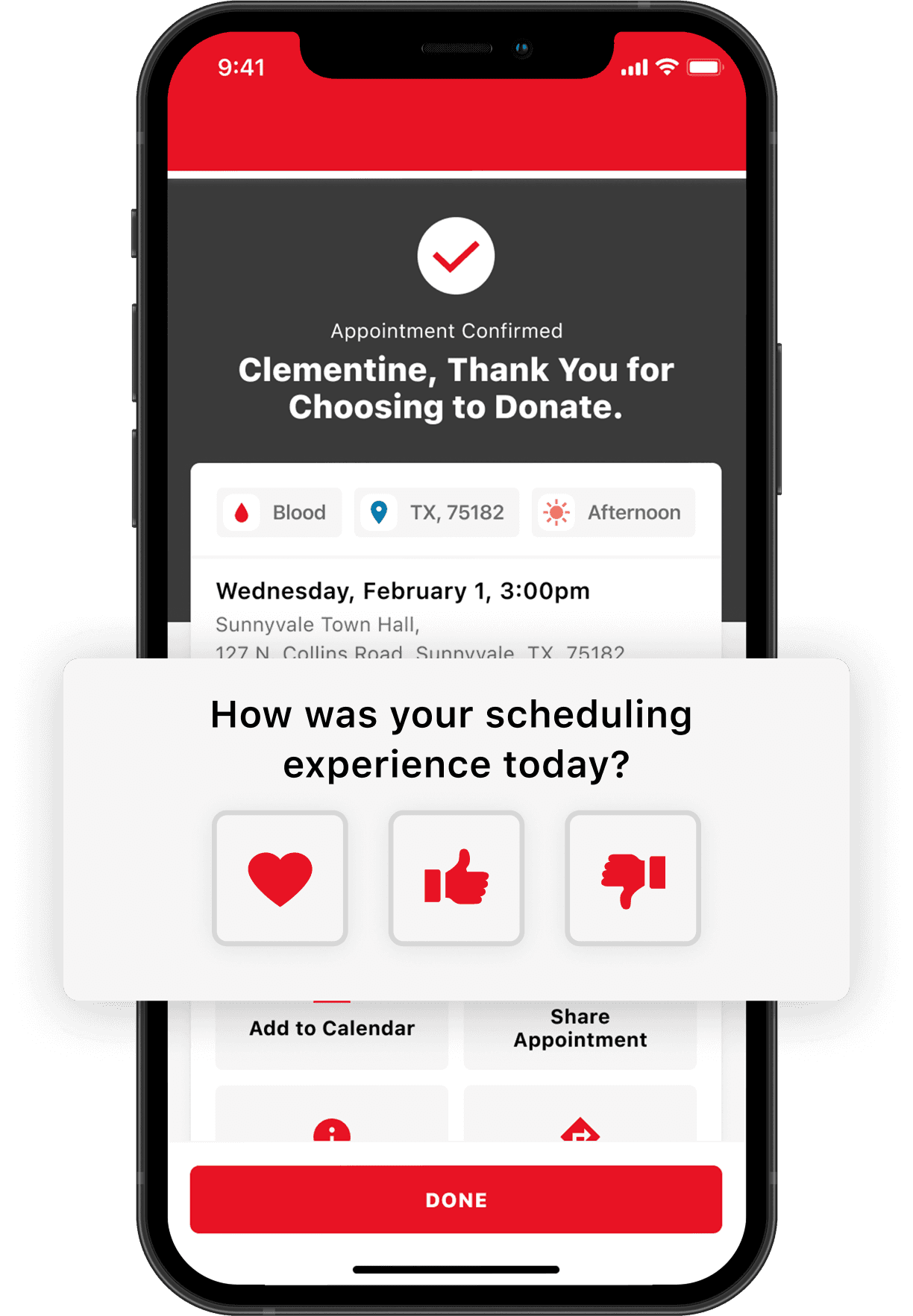
We wanted to gain more insight into how users felt about the current appointment booking flow.

Ideation

Concepts for collecting feedback

Ideation

Concepts for collecting feedback

Ideation

Concepts for collecting feedback

Looking at the existing flow for booking an appointment, my hypothesis was that it could be effective to ask users for feedback after they had just booked an appointment. I also flowed out a concept for users abandoning the booking process.
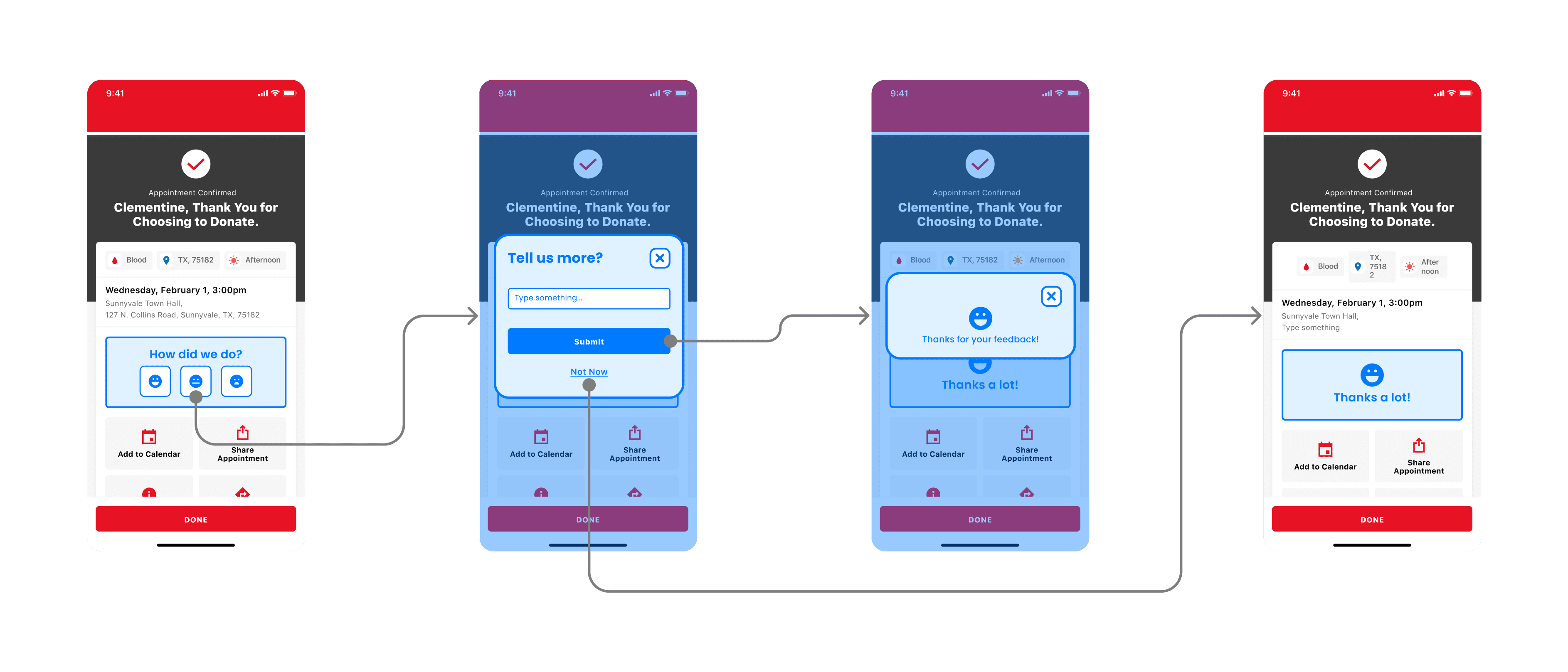
Feedback post booking success 1
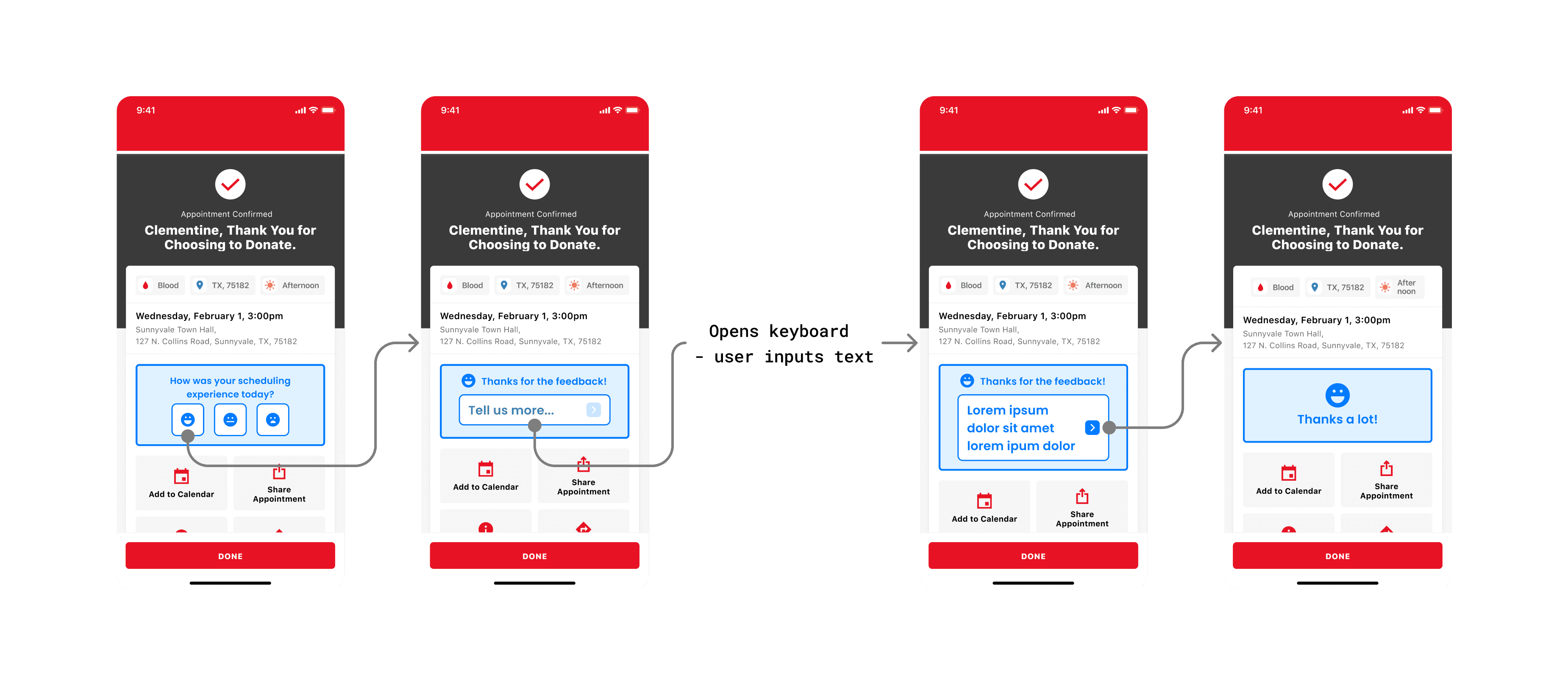
Feedback post booking success 2
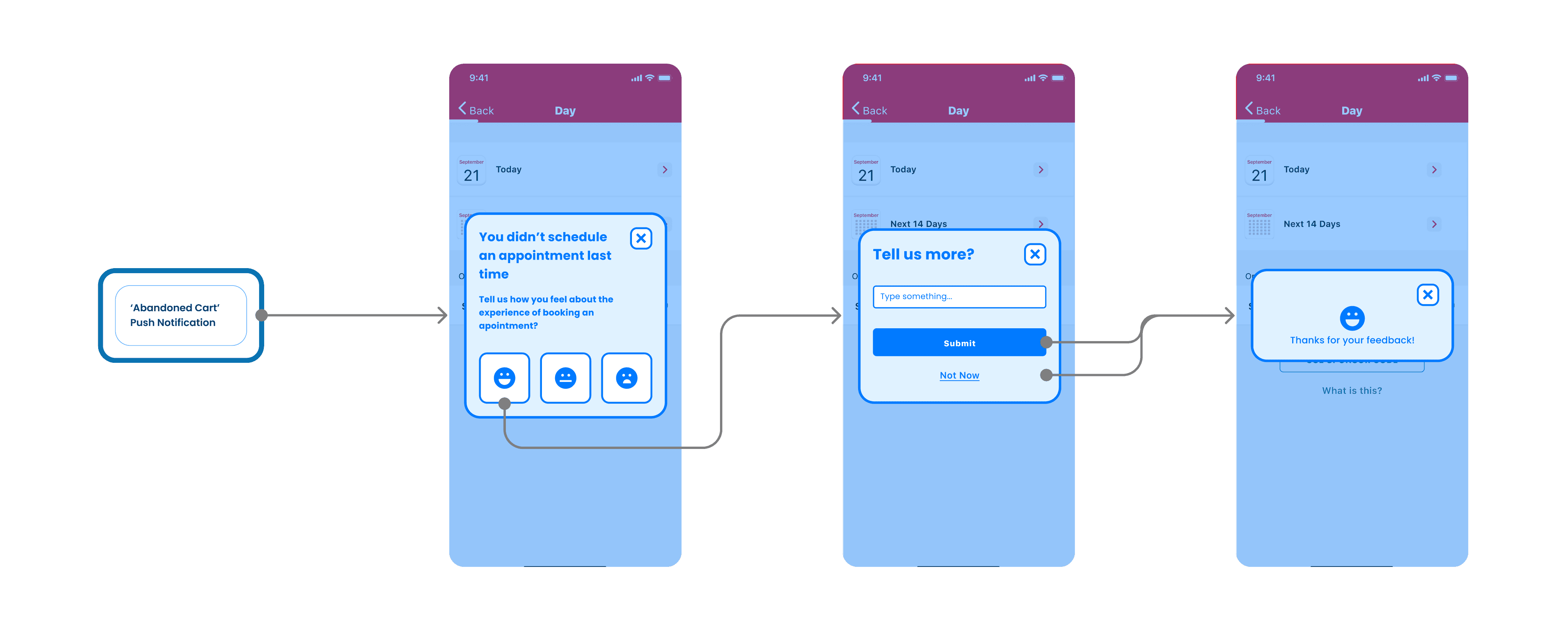
Feedback post abandoned booking

Flows

Final version

Flows

Final version

Flows

Final version

We got buy-in from stakeholders to move forward with the concept of capturing feedback after appointment booking. For the first version of this feature, we chose to capture pre-determined responses from users, rather than allow a free-text response.
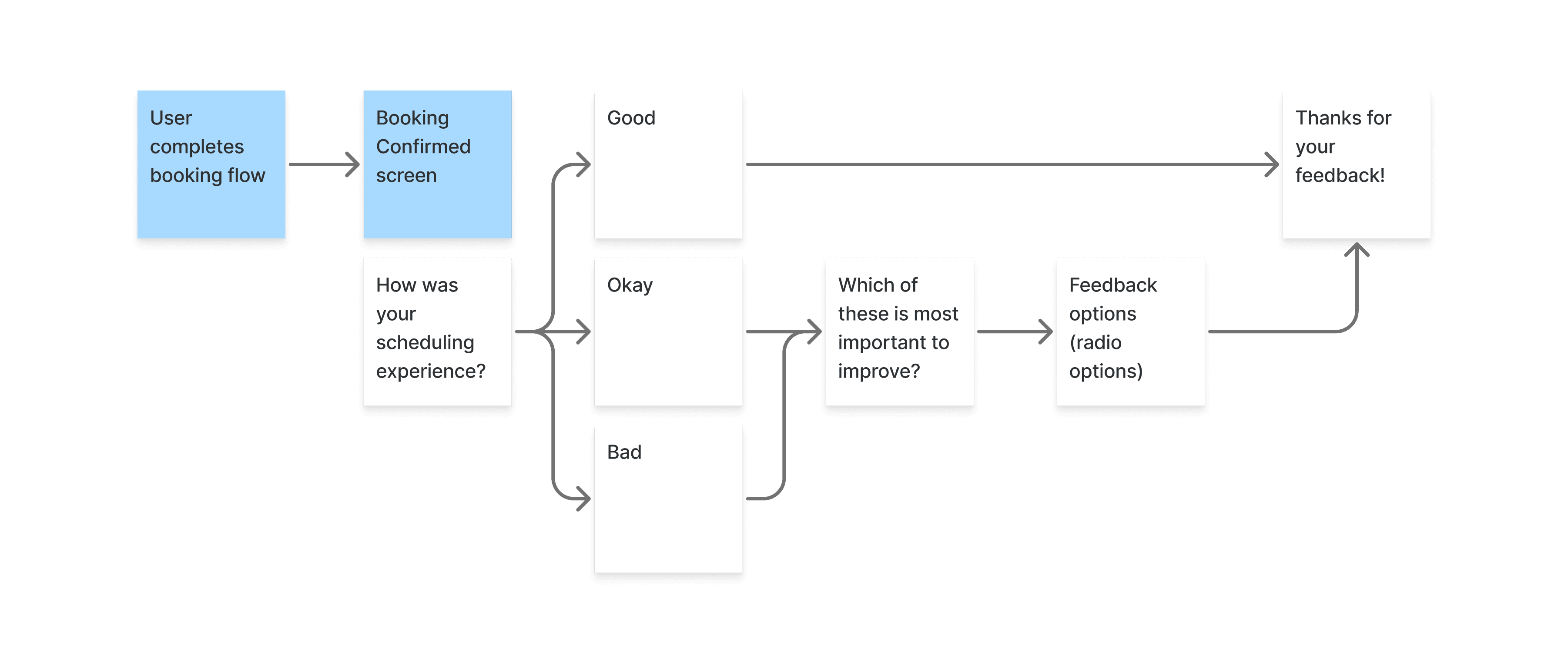
UI Iteration

Avoiding competing CTAs

UI Iteration

Avoiding competing CTAs

UI Iteration

Avoiding competing CTAs

I created many iterations of the feedback CTA component experimenting with different iconography and button treatments. It was important that the new component did not compete too heavily and detract from the other actions onscreen.
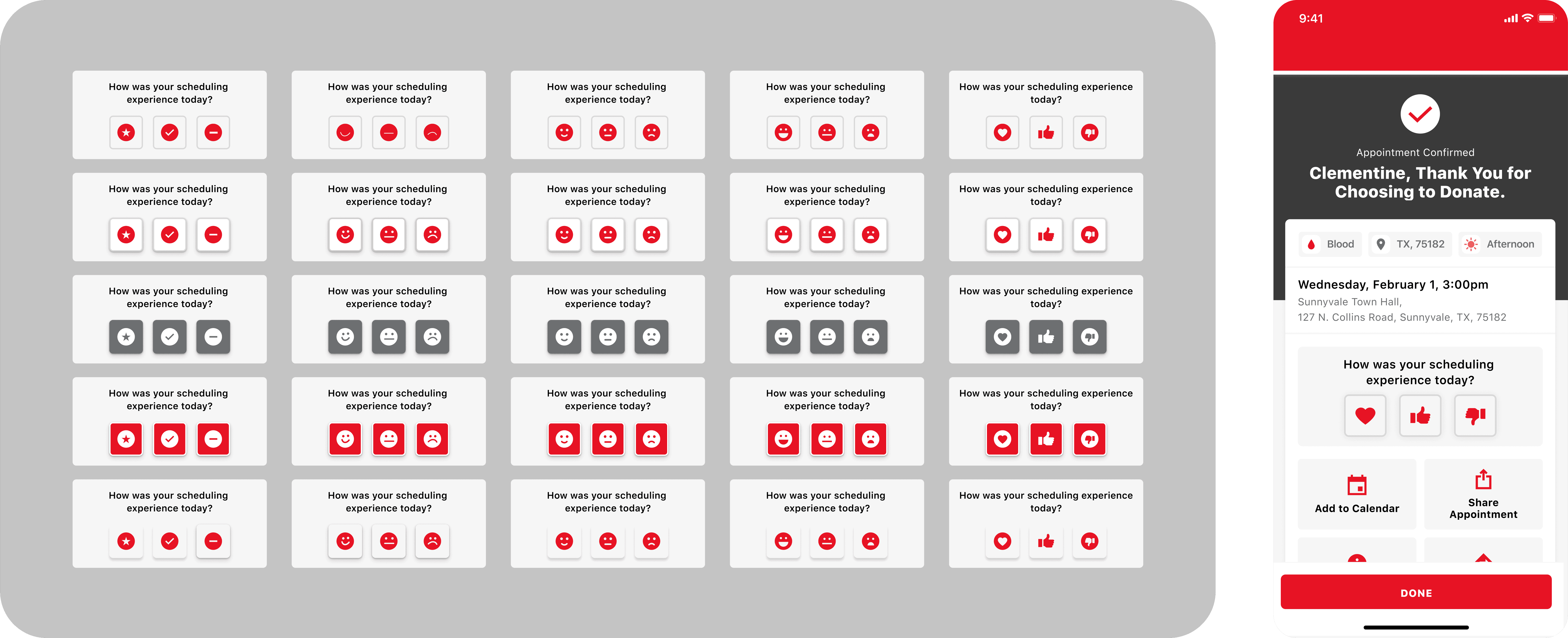
Interaction

Drop-down options

Interaction

Drop-down options

Interaction

Drop-down options

I prototyped out how the interaction of opening the radio button list would feel. Keeping the UI as simple as possible was important to make this interaction easy to comprehend.

The solution

(interaction in situ)

The solution

(interaction in situ)
Impact

What did we learn?

Impact

What did we learn?

Impact

What did we learn?

Since the release of the scheduling feedback update, we had steady engagement. With some contradictory information about ease of booking.

52%

Users who responded

selected “booking an appointment with ease”

3801

Responses

(Since June 2024)

1 in 800

Of total users

chose to leave feedback

Case Study 3

Showing donors their health data

Case Study 3

Showing donors their health data

Case Study 3

Showing donors their health data

Update Released

November 2021

Timescale

6 weeks
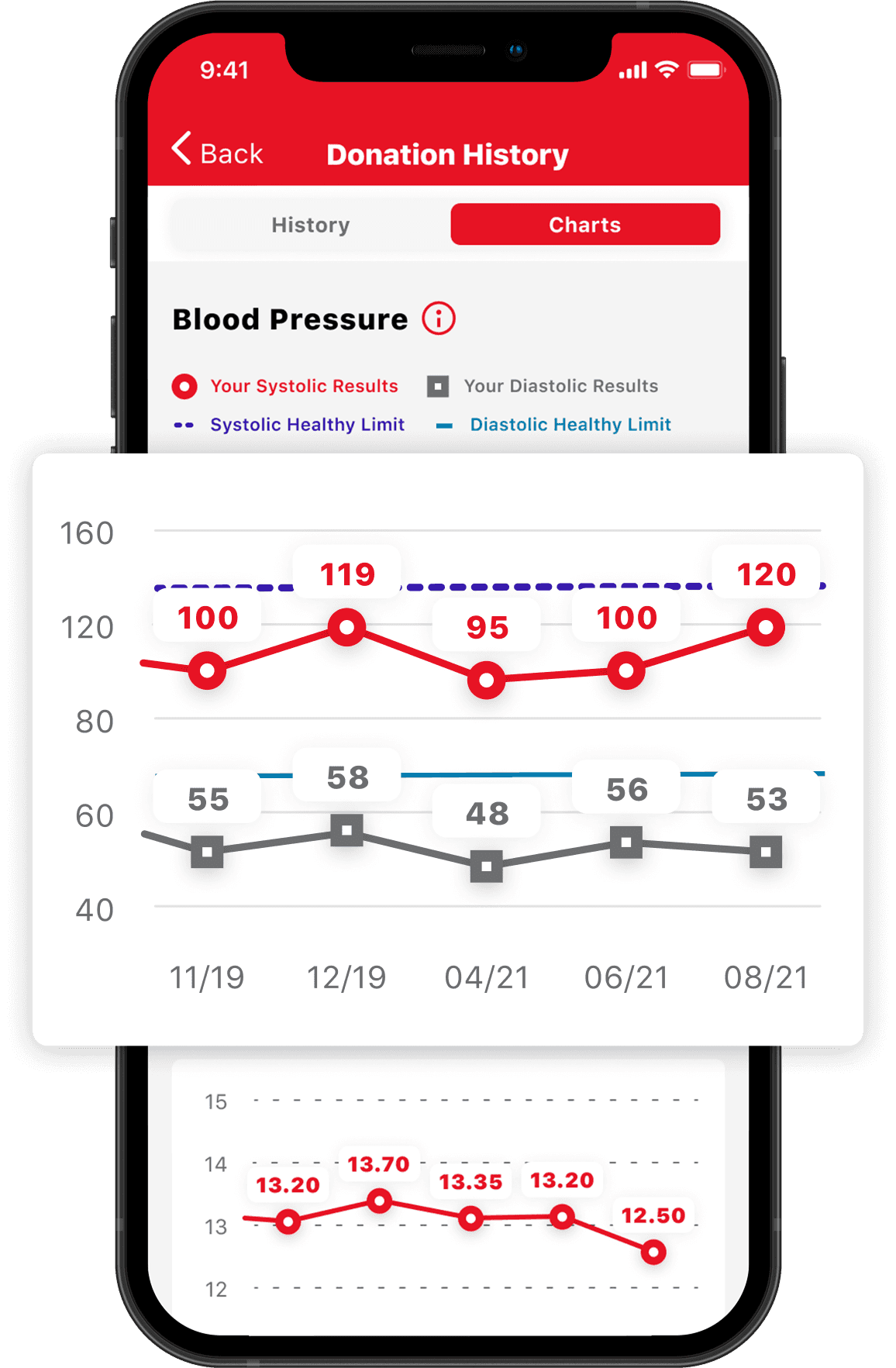
Context

Giving donors more value

Context

Giving donors more value

The goal of this work was to give users a more visual way to view their health data, and provide an extra incentive to donate.

Challenges

Considerations for the UI

Challenges

Considerations for the UI

Challenges

Considerations for the UI

To begin, we produced some ‘How Might We’ statements to frame the challenges of the project.
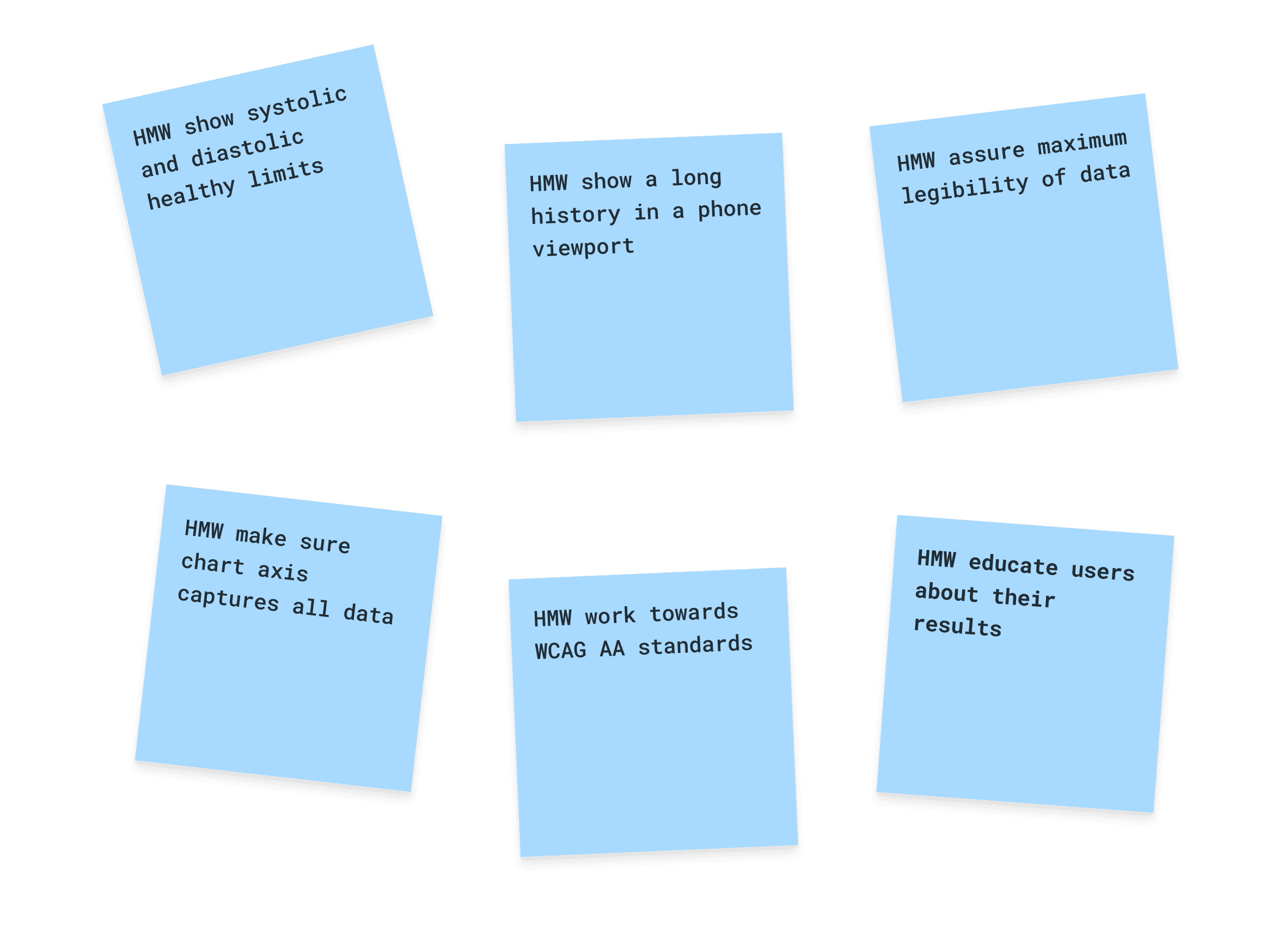
Ideation workshop with EA and Lancashire Youth Council

UI Iteration

Accounting for use of colour

UI Iteration

Accounting for use of colour

UI Iteration

Accounting for use of colour

During iteration of the chart UI, I became cognisant of the fact that for the key explaining the chart to be more accessible, I needed to account for the two data points being distinguishable aside from their colour.
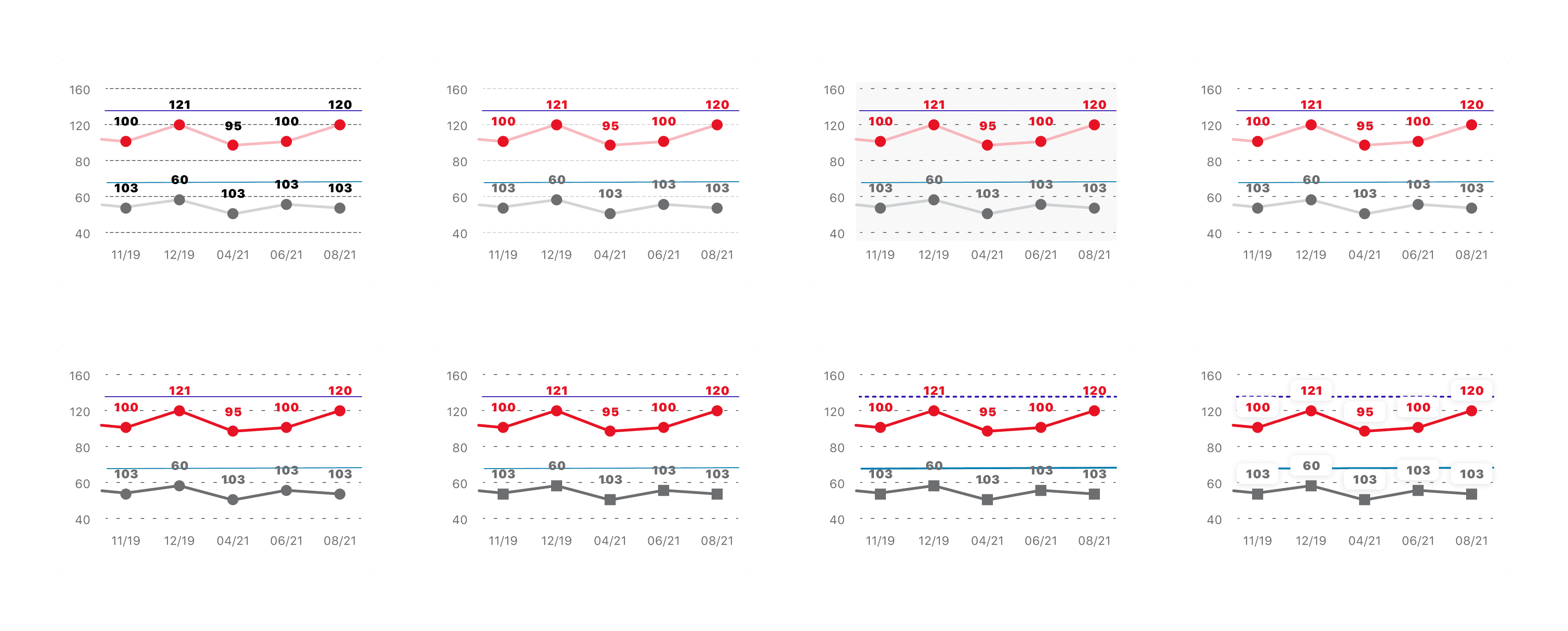
(https://www.w3.org/WAI/WCAG21/Understanding/use-of-color)

Accessibility

Making charts more accessible

Accessibility

Making charts more accessible

Accessibility

Making charts more accessible

By using different shapes and line styles for the 2 data points, the chart is readable for users who don't necessarily know about blood pressure readings and may have a form of colour blindness.
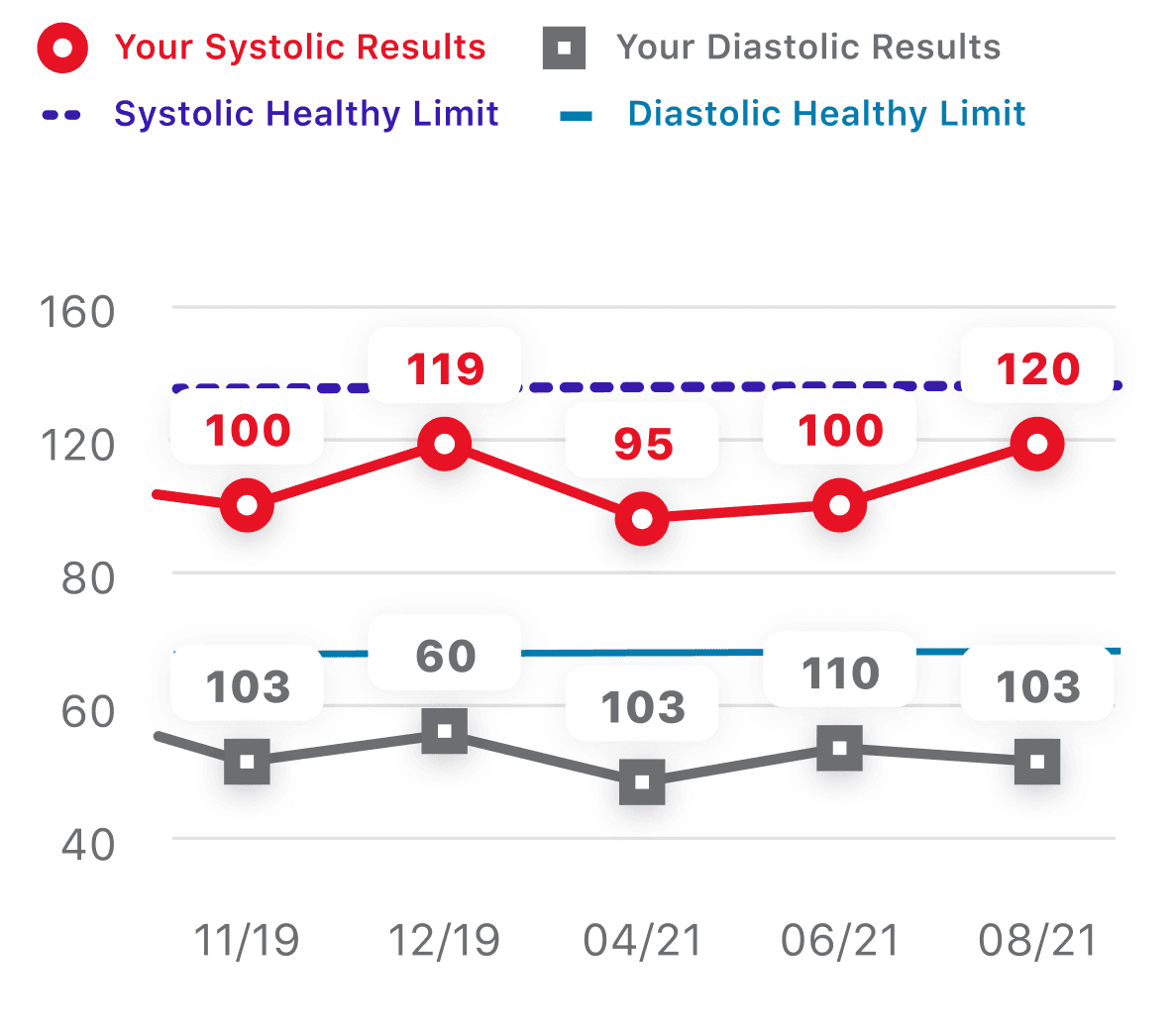
(Trichromacy) No Colour Blindness
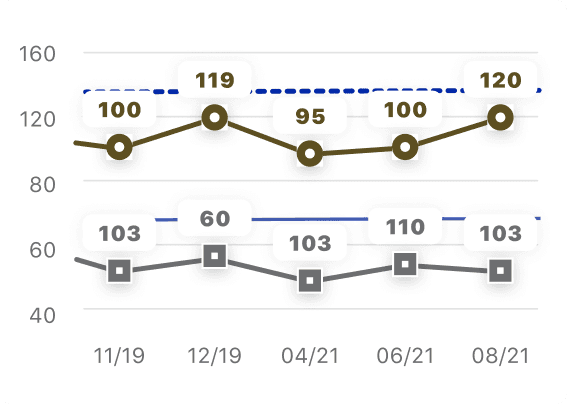
Deuteranopia
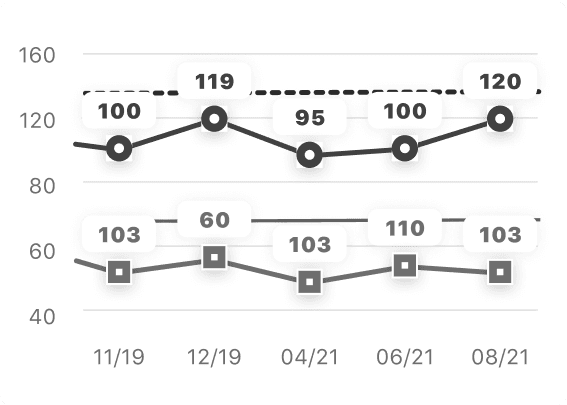
Achromatopsia
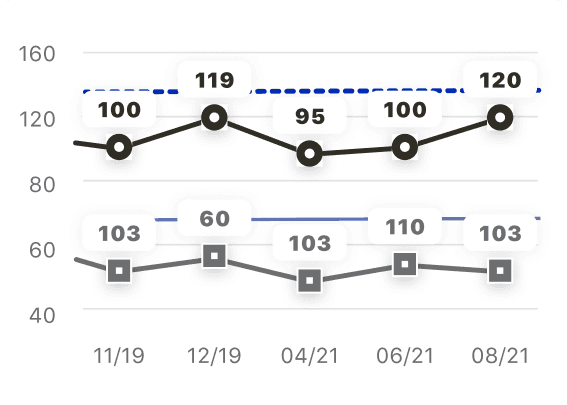
Protanopia
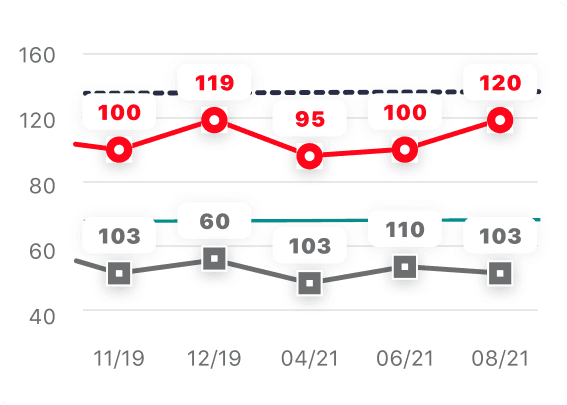
Tritanopia
Interaction

Showing a user's full journey

Interaction

Showing a user's full journey

Interaction

Showing a user's full journey

Some users of the app have been donating blood for many years, we needed a way to allow users to see their data up to 2 years in the past.

The solution

(Interaction in situ)

The solution

(interaction in situ)
Feedback

What was the user reaction?

Feedback

What was the user reaction?

Feedback

What was the user reaction?

Since charts have been introduced, there has been a very positive interaction from users who value seeing health data in this format.
18 March 2025

This app is awesome. Earning the badges makes donating fun and scheduling donations is so easy. It tracks your vitals history from each donation and puts it into a chart for you.

13 January 2025

The app makes scheduling so easy. It provides a handy chart for blood pressure and iron levels from past visits.

27 December 2024

I am very pleased with this app. It is easy to use, quite intuitive, and has lots of information about my donations. It's easy to use to manage my donation appointments. I especially like that I can look at it to see the history of my blood pressure, etc.

Other projects

Case Study 1

Making appointment booking feel quicker

Case Study 1

Making appointment booking feel quicker

Update Released

December 2022

Timescale

4 weeks